 obi
Pen, shapes, highlights
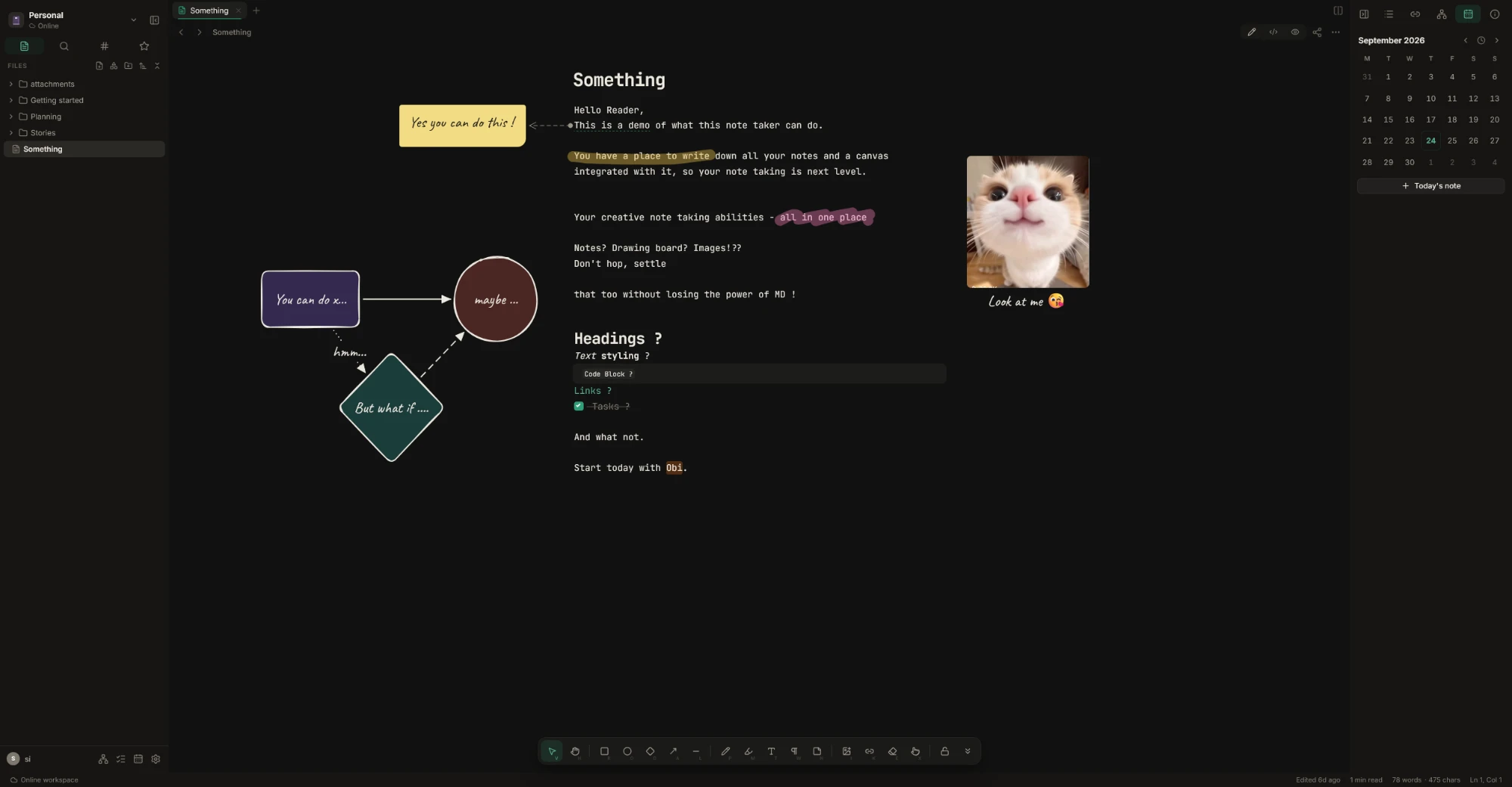
Sketch in the margin, box a paragraph, highlight a phrase — right next to the text it's about.
self-hosted · works offline · plain files
Your notes are plain .md files. Everything you draw lives beside them and moves when the text
does — and your plans are markdown too: boards, tasks and a calendar, in the same folder.
01 canvas
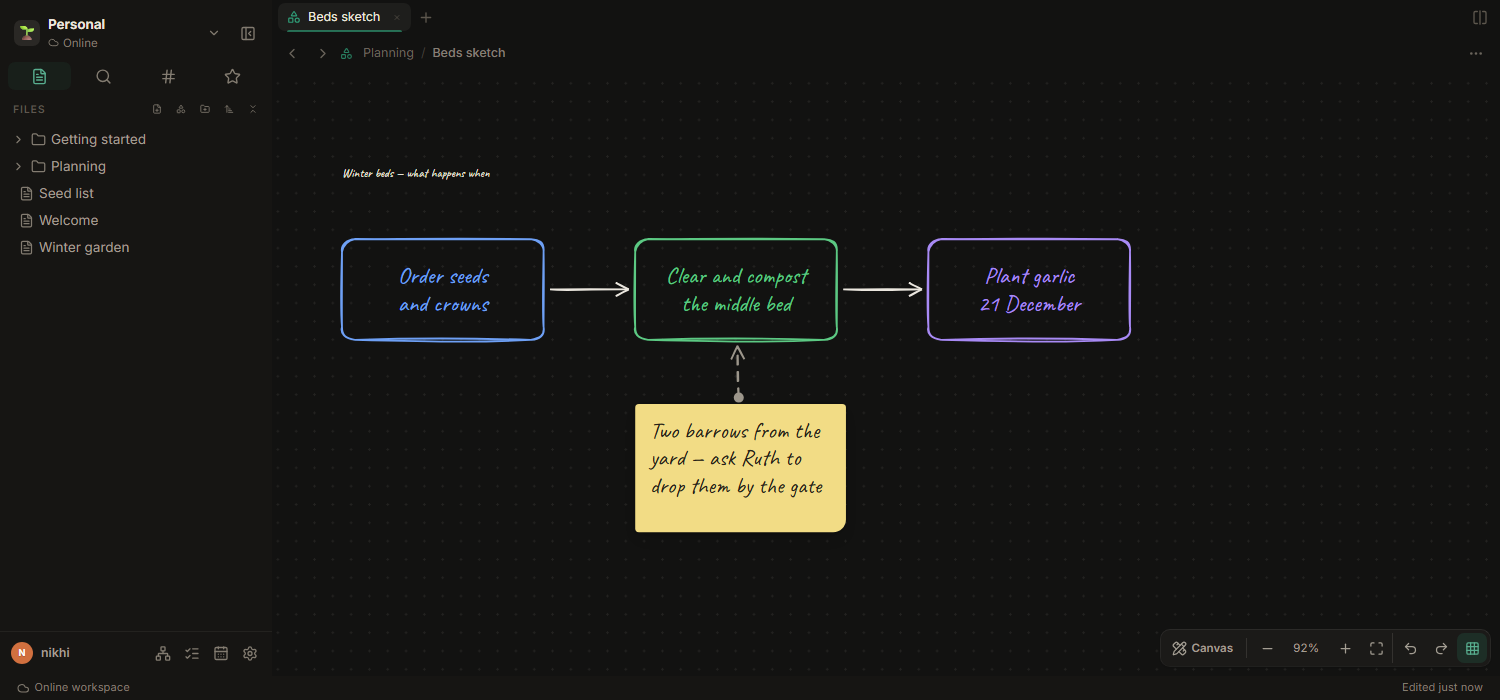
Everything you draw is anchored to a line of text. Add a paragraph above and the sticky note moves down with it; reword a sentence and the arrow still points at it. The markdown file never changes.
Sketch in the margin, box a paragraph, highlight a phrase — right next to the text it's about.
Point from a phrase to a note you left yourself. Edit the sentence and the arrow keeps up.
When a margin isn't enough: boards are files too, on their own or embedded in a note.
02 plan
A board is a note: headings are lists, task lines are cards. Drag a card and the file changes — open it anywhere else and it's a tidy checklist.
Coloured labels, covers, due dates, checklists and priorities. Rules move a card when it's done or due, and a tick gets a little celebration.
All tasks from every note and board, a calendar to drag them onto a day, a plan for what's next, and repeats that come back on their own.
Type [[ in a card or a task to link a note or a board; links in notes reach boards just the same.
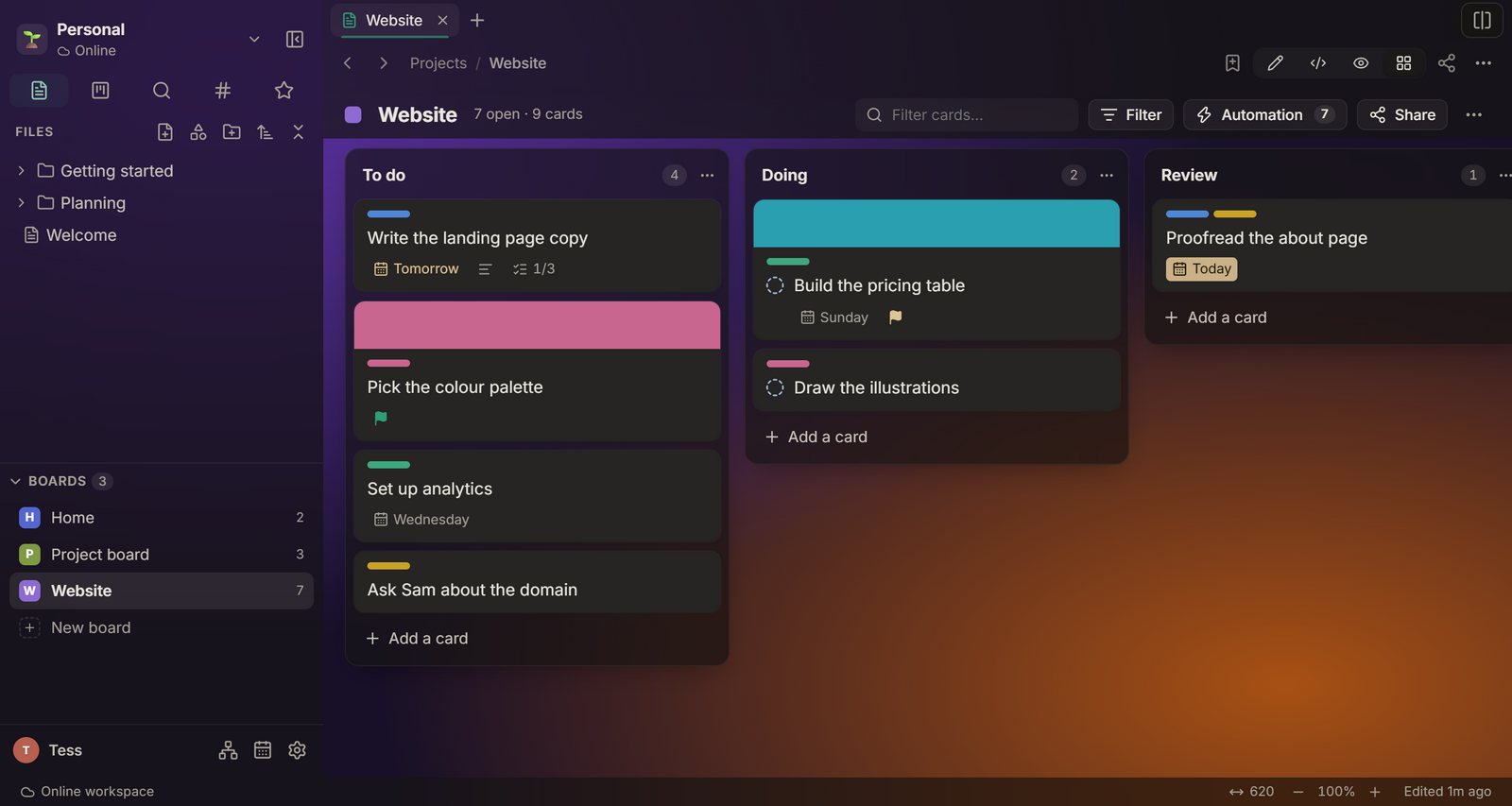
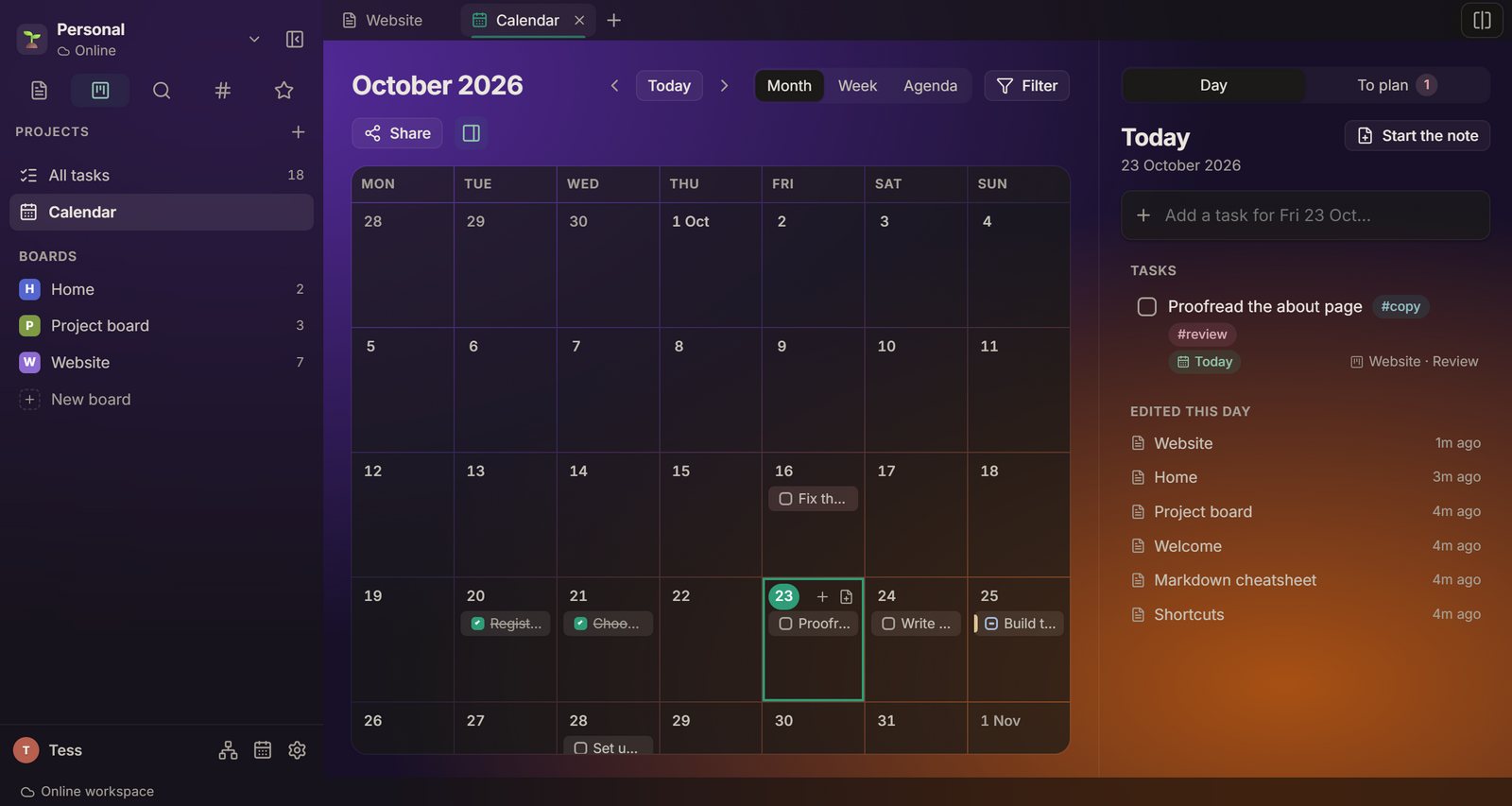
One file per board, in your Projects folder. The calendar and All tasks read every note and board in the workspace.
03 writing
No preview pane to keep in sync, and nothing proprietary to export your way out of later.
One note, one .md file. Tables, code and maths take shape while you write; the markdown is there the moment you need it.
Mark your place in a long note and it's waiting next time, on any device. Find in a note walks you through every match.
Wiki links and backlinks, daily notes, tags, and a graph of how it all connects. Make it yours with a background of your own.
05 desktop
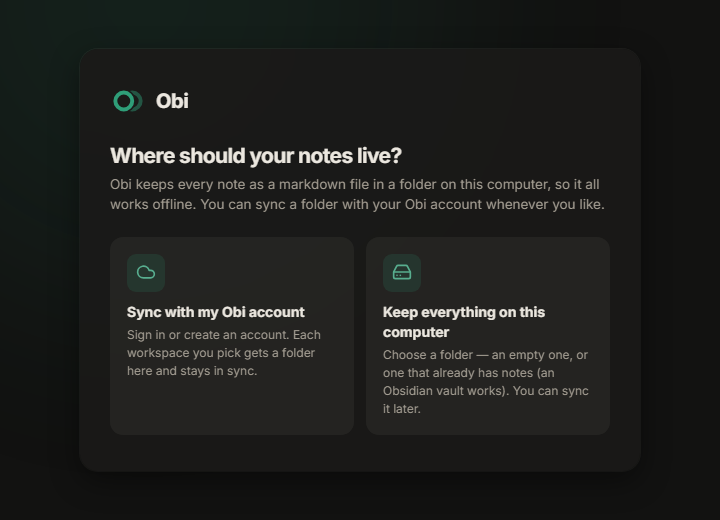
Every workspace is a folder you choose — a new one, or one that already holds notes. An Obsidian vault works as it is.
windows isn't code-signed yet: if it says it “protected your PC”, choose More info → Run anyway.
macos isn't from the App Store: open it once from System Settings → Privacy & Security → Open Anyway.
linux AppImage: make it executable and run it. The .deb: sudo apt install ./Obi-Setup-*.deb
06 self-host
Your notes sit on your own disk as markdown — or in a private GitHub repo, which Obi keeps in step and commits to as you. The database only remembers who you are and what you shared.
services:
  obi:
    image: obi
    environment:
      APP_SECRET: <a long random string>
      PUBLIC_URL: https://notes.example.com
    volumes:
      - obi-data:/data
    ports:
- "3000:3000"You can take them all out again whenever you like. They were only ever files.